

Question

How are you preventing conflicting values in related LeanIX fields (e.g. TIME vs 6R)?

  • January 16, 2026
  • 2 replies
  • 198 views

We are seeing a recurring data quality challenge in LeanIX and wanted to learn how other organizations are addressing it.

In our setup, application fact sheets are filled by Application Technical Owners and reviewed/approved by Business Owners. While most users complete the fields, many are not familiar with EA terminology and sometimes enter conflicting values in related fields.
A common example is:

  • TIME = Eliminate

  • 6R = Retain

We’ve identified a few possible approaches and would like to understand what works best in practice:

  1. Automation / Rules-based warnings
    Using LeanIX automations with defined rulesets to warn users (or block approval) when conflicting combinations are selected.

  2. User education
    Creating and circulating cheat sheets, tooltips, or guidance documents explaining how related fields (TIME, 6R, Business Criticality, etc.) should be aligned.

  3. Approval-based governance
    Relying on Business Owner review and quality seal approval to catch and correct inconsistencies.

Questions to the community:

  • Which of these approaches are you using today?

  • Have you implemented automated validation or warnings for conflicting field values? If yes, how effective has it been?

  • Do users respond better to in-tool guidance (rules, warnings, tooltips) or to offline material (cheat sheets, training)?

  • Are there any other patterns or best practices you’ve seen work well to improve data quality without overburdening users?

Our goal is to improve data consistency while keeping LeanIX user-friendly, so any real-world experiences or lessons learned would be greatly appreciated.

Thanks in advance!

2 replies

GiannisAnt
Forum|alt.badge.img+1
  • Veteran
  • January 16, 2026

I assume that the TIME and 6R values are based on an assessment rather than being set by users. Is there a process outside of LeanIX that helps guide these inputs? Because from what you are saying I understand that each user is setting their own.

Regarding automation, you can set up an automation that when TIME Value = x,y and if 6R value is a,b then send an email or a to-do etc. to the user.

You can also make a calculation that will check the logic above alongside with other criteria if you want to catch some other cases and update a field which will then trigger an automation to alert the user with previously said ways.

I hope this is helpful!


Forum|alt.badge.img
  • Royalty For Loyalty
  • January 16, 2026

Thank you , We have seen similar behaviours and it is a hard one to answer as it depends on the organisation culture and the maturity of EA. 
From a TOGAF perspective it is heavily depend on stakeholder managment.
If you are initial stages , It is worth doing tool tips in the tool itself rather than extensive automation logic
  

  • Tooltips explaining TIME vs. 6R.
  • If the platform will be replaced in ≤ 2 years → TIME = Eliminate, 6R = Retire/Replace
  • If no investment is planned → TIME = Tolerate / 6R = Retain

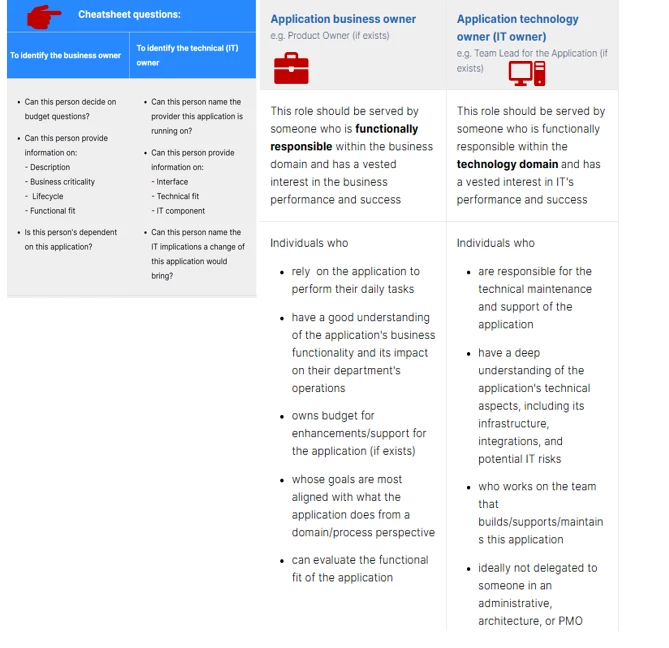
Example Quick 15-minute sessions  . These can  reduce confusion in early months of rollout.Focus on early adopters before going a full blown approach. We also prepared something like this to “calrify” the role as in reality the lines between there are blurry :)