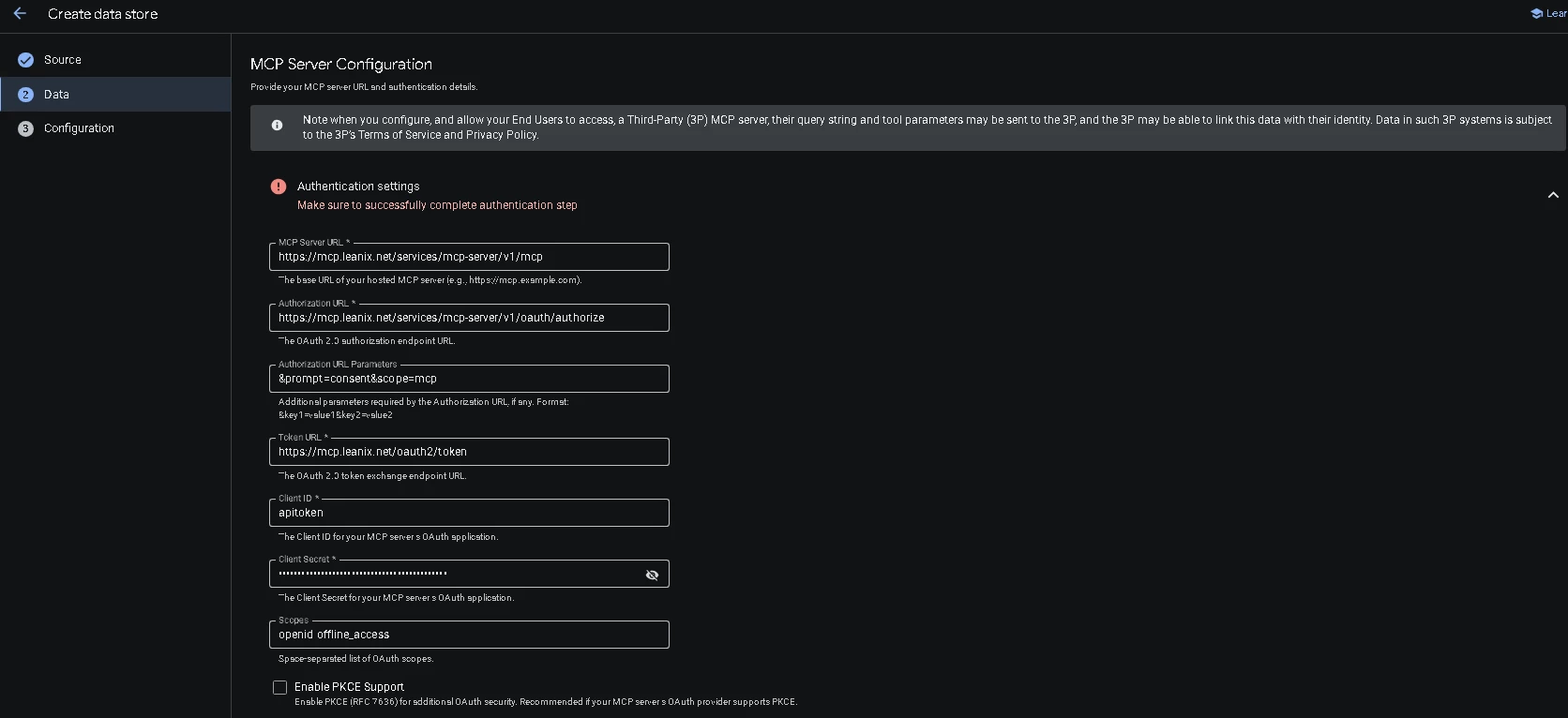
Now, I randomly Tried All the URLs I found on Internet.
Gemini Enterprise Setup Screen
Now, Can any one help what will be the Authorization URL,Token URL, Client ID/Secret. As in LeanIX there is no such Fields present.
Just to Give you Context: Our SSO Authorization is Entra.
Also, I tried connecting it with Copilot Studio as well, and I just put mcp server url and selected Oauth and maybe using dynamic Discovery or something it automatically got connected with Copilot.
Best answer by silvam
Hi Satyam,
This is a question that may be better suited for our Customer Success Engineering team to answer, as it touches on a more complex integration scenario that requires a deeper understanding of your specific use case.
To clarify a few points:
Authorization URL, Token URL, and Client ID are OAuth 2.0 parameters that are configured and managed within Google Cloud Console, and are not parameters owned or configured on the LeanIX side.
The LeanIX API utilizes API tokens (Bearer tokens) for authentication — not OAuth credentials.
It’s not currently clear whether you are building a custom integration in which Gemini/Google APIs authenticate against LeanIX, or if your use case involves something different.
Additionally, you mentioned using Microsoft Entra — we aren’t sure whether this is in the context of SaaS Discovery, SSO, or OAuth authentication for Gemini.
We kindly ask that you open a support ticket via SAPForMe and include your question as well as the requested information, and it will be reviewed and routed to the appropriate team for further analysis.
This is a question that may be better suited for our Customer Success Engineering team to answer, as it touches on a more complex integration scenario that requires a deeper understanding of your specific use case.
To clarify a few points:
Authorization URL, Token URL, and Client ID are OAuth 2.0 parameters that are configured and managed within Google Cloud Console, and are not parameters owned or configured on the LeanIX side.
The LeanIX API utilizes API tokens (Bearer tokens) for authentication — not OAuth credentials.
It’s not currently clear whether you are building a custom integration in which Gemini/Google APIs authenticate against LeanIX, or if your use case involves something different.
Additionally, you mentioned using Microsoft Entra — we aren’t sure whether this is in the context of SaaS Discovery, SSO, or OAuth authentication for Gemini.
We kindly ask that you open a support ticket via SAPForMe and include your question as well as the requested information, and it will be reviewed and routed to the appropriate team for further analysis.
We have a ticket we’re working with Google, but it has been a bit of a painful journey. We do have it working on Gemini CLI / Antigravity (e.g. for custom reports), but we need to kick off some manual POSTs to get a refreshed token (as the refresh functionality doesn’t seem to work for generated client-ids).
So to clarify, we’re using OAuth2, we put the bearer token into the mcp_config file:
To get the client ID and bearer token, we call the well-known endpoints on LeanIX side and register a new client. You can see how to do this using mcp inspector and going through the oauth flow. -> npx @modelcontextprotocol/inspector@1
You can then script this process and write the resulting bearer token back to your config file to semi-automate this process. Not ideal, but will get your up and running.
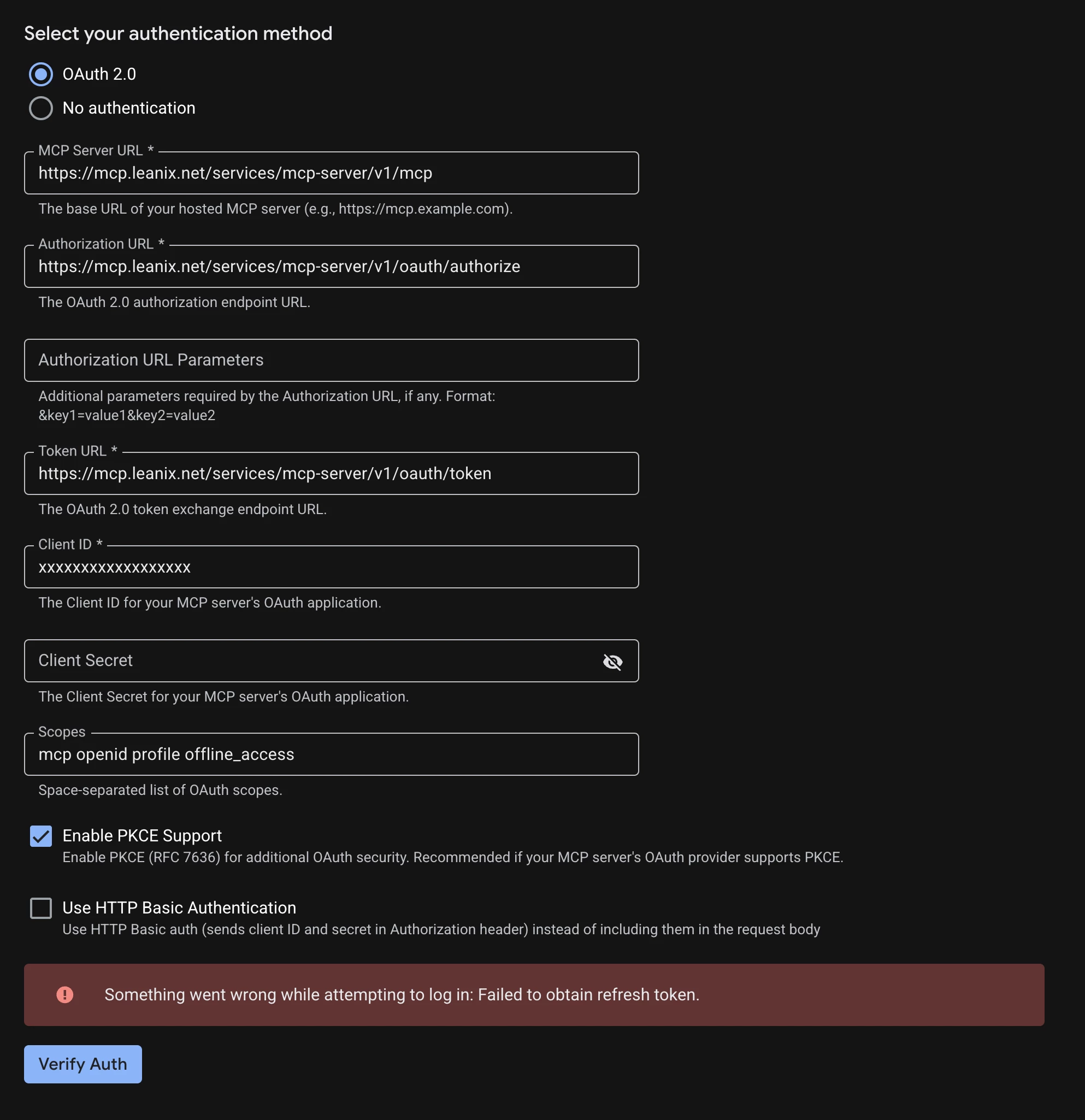
Still have issues with the custom MCP data connector in google. It logs in but can never get the refresh token. I think it is to do with the fact you can’t create clientids/secrets in LeanIX and therefore it doesn’t behave well with these ‘self registring’ client-ids.