

Question

How to send surveys to users?

  • May 12, 2026
  • 3 replies
  • 19 views


I am currently studying the SAP Learning Hub course "Adding First Data to Your SAP LeanIX Workspace". 


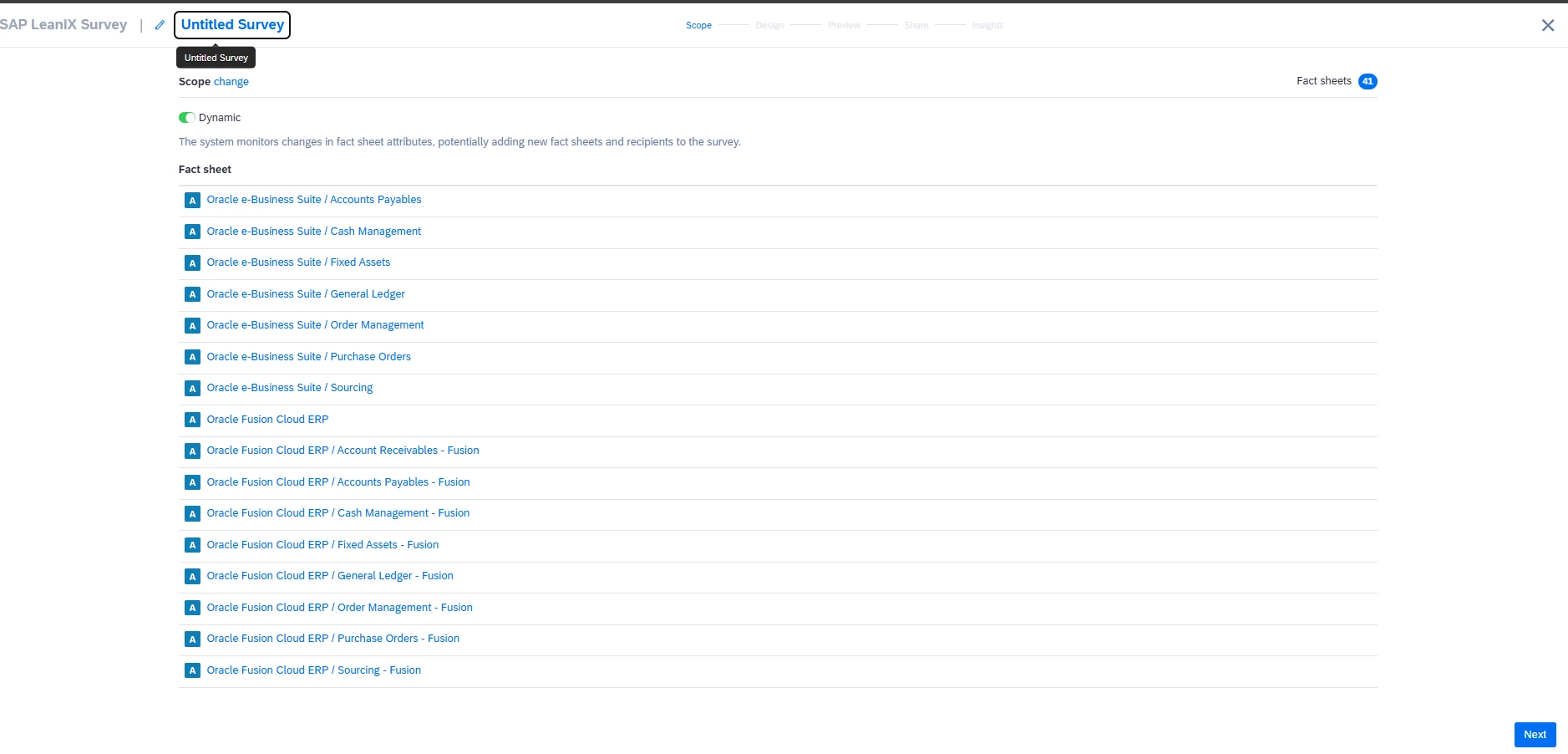
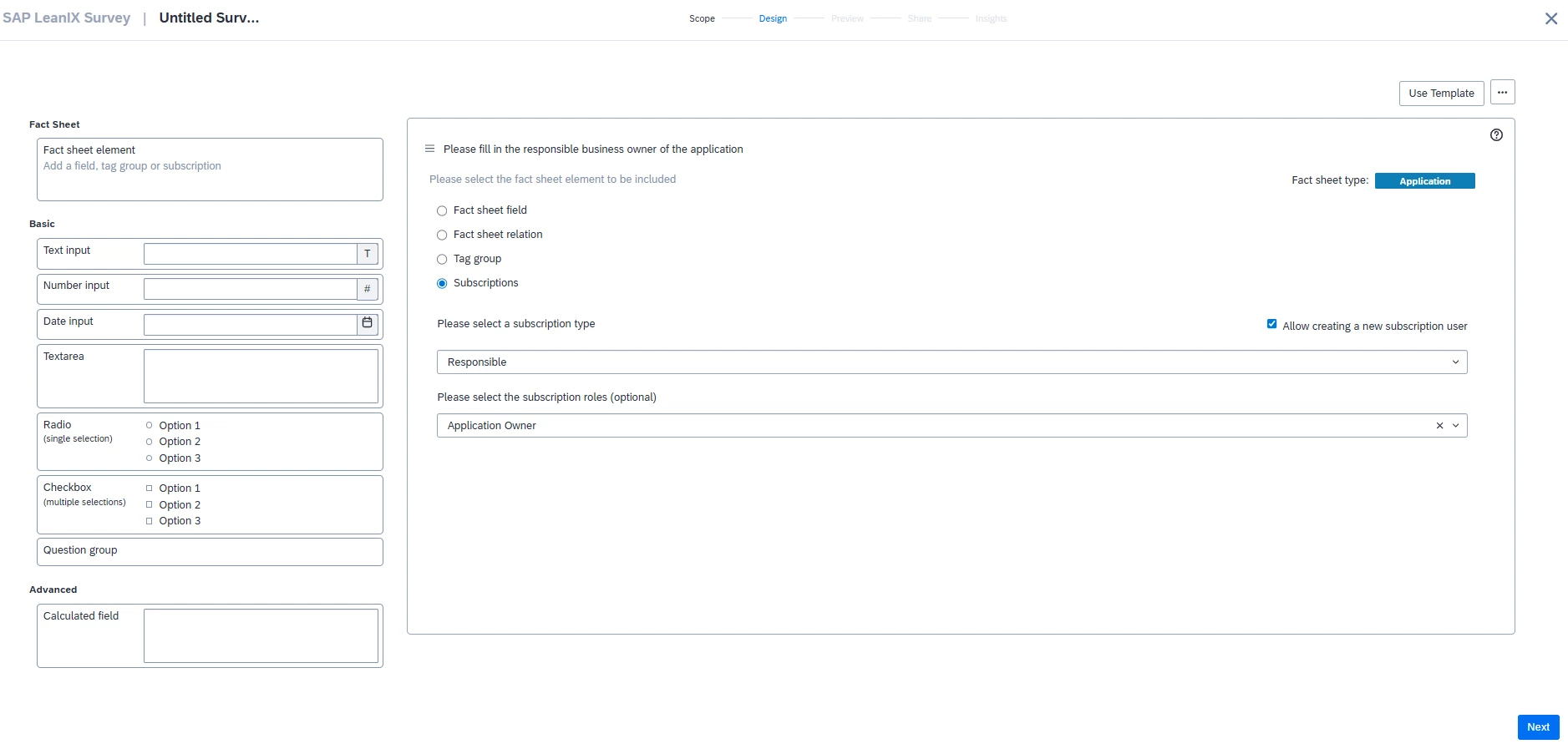
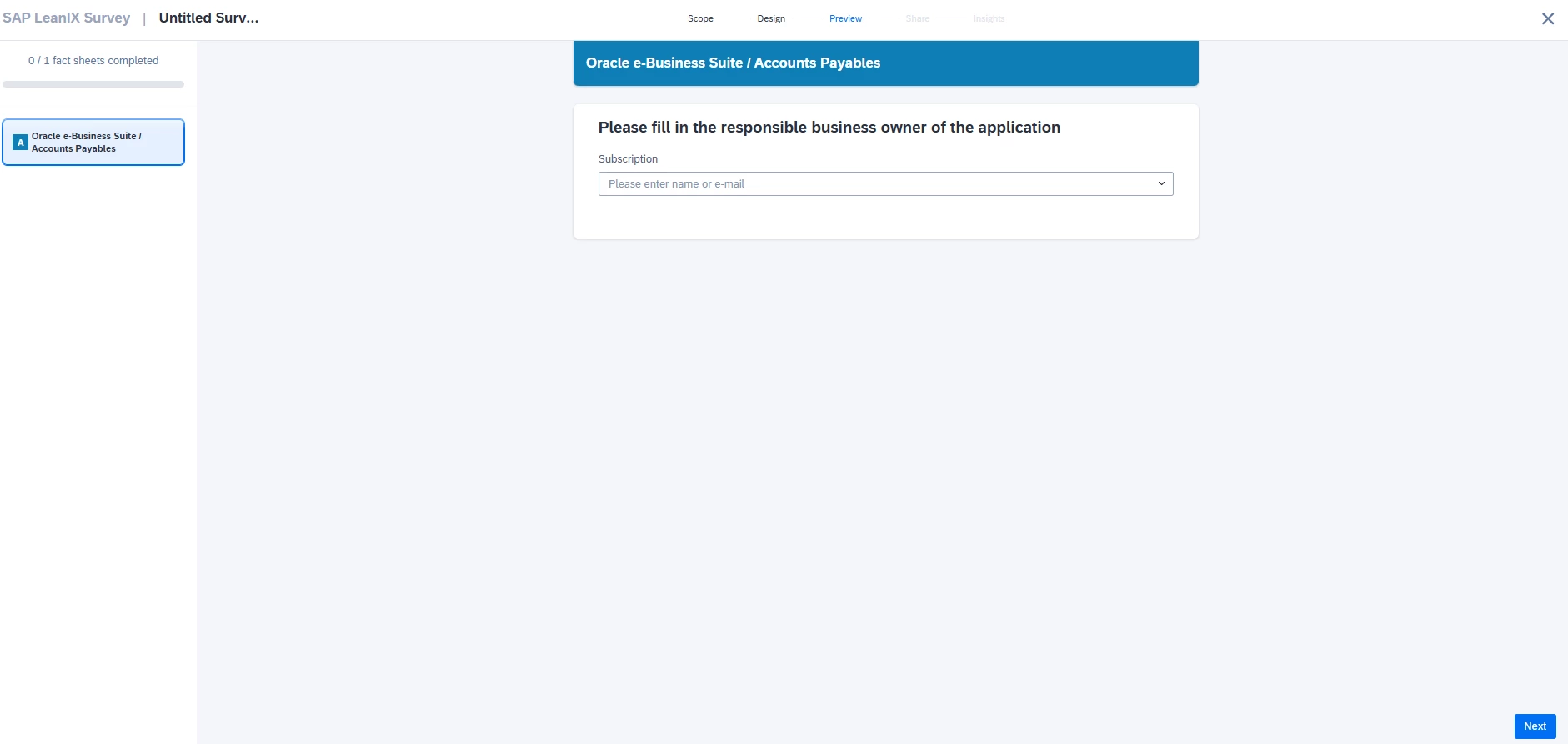
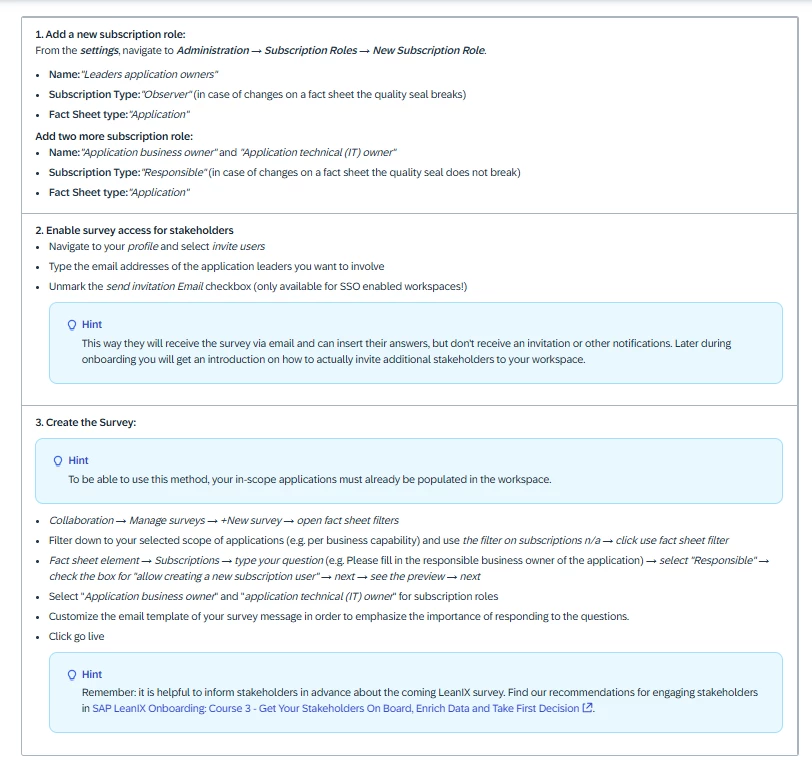
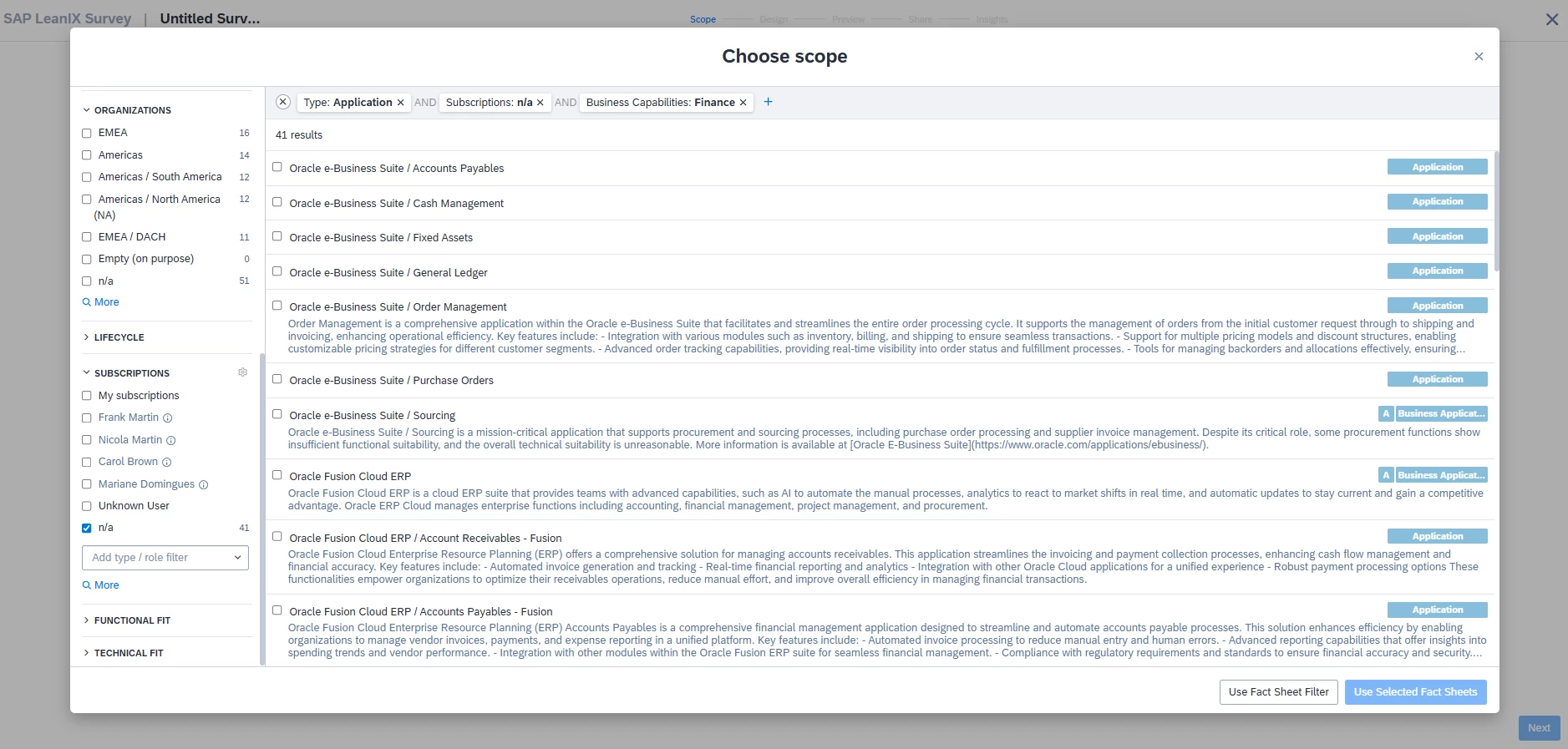
In the step "Identify fact sheet owners and add them to your workspace", the tutorial describes creating a survey to collect missing information.

However, I am encountering an issue: when I follow the steps exactly, no survey email is sent. The tutorial mentions sending the survey for fields marked as N/A, but in my tests, emails are only sent when the "Responsible" field is already populated.

My questions are:

Must the "Responsible" (or target) field be pre-filled for the survey email to be triggered?
If I have 300 applications and none have subscription emails populated, will this survey method fail to reach any stakeholders?

The hint states: "To be able to use this method, your in-scope applications must already be populated in the workspace." 

This seems contradictory because the tutorial then instructs filtering for N/A fields. Is the documentation incomplete, or am I misunderstanding the workflow?
 

3 replies

GiannisAnt
Forum|alt.badge.img+1
  • Everlasting Love
  • May 12, 2026

Hello Mariane,

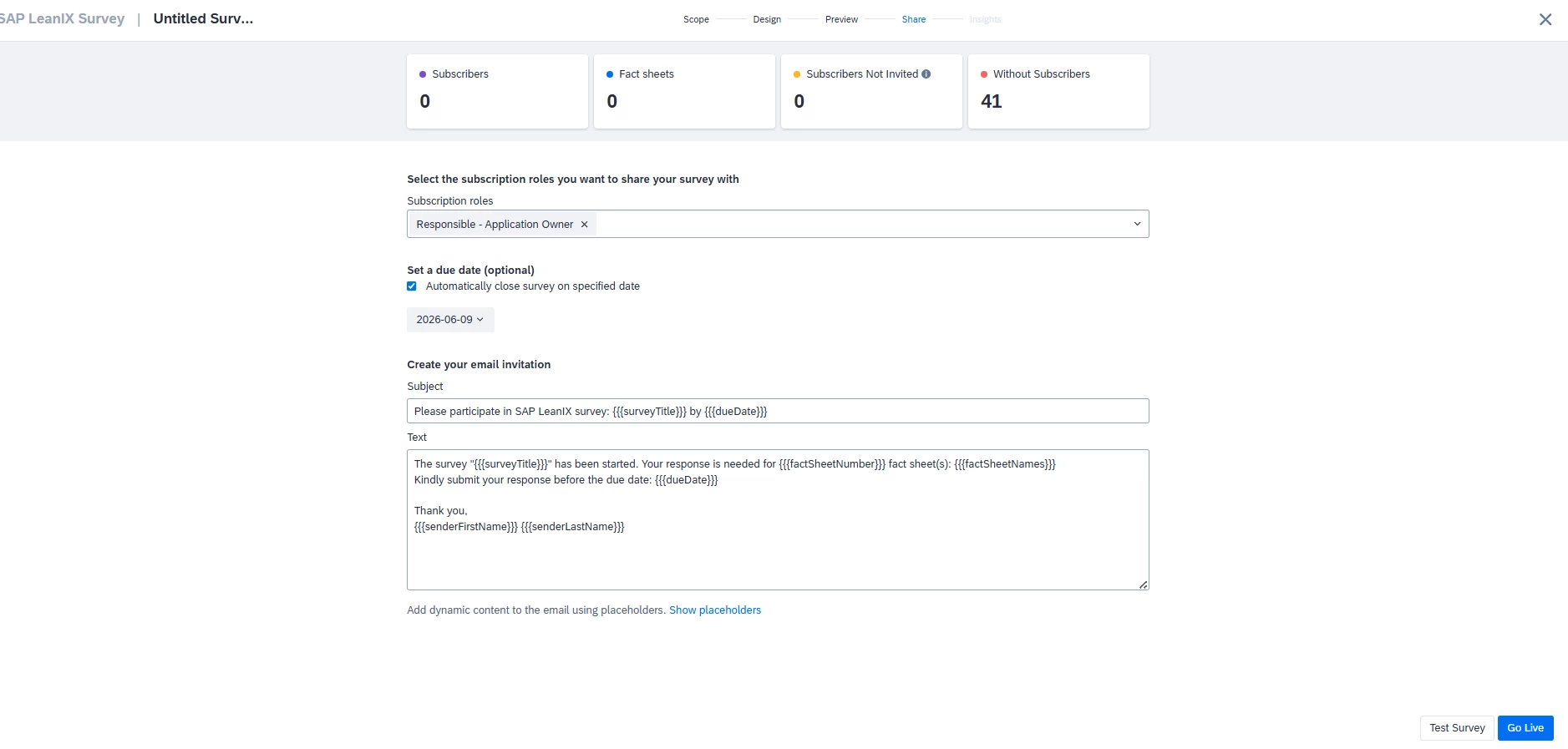
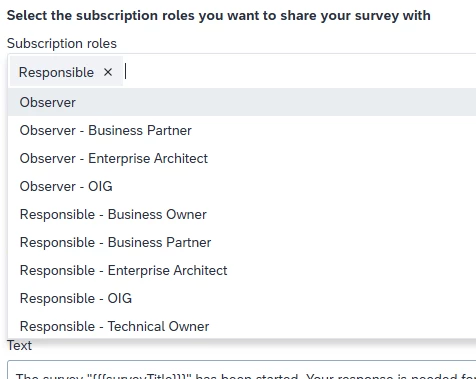
In the last step of the Survey you can choose the role that will answer the questions.

Hence in your example if you are choosing to send the survey to a Responsible role but the fact sheets in scope only have an Observer role noone will receive the survey.


As you can see you can select which role should answer a survey.

Roles work in a certain way you can have 3 main role types:

  1. Observer
  1. Responsible
  1. Accountable (only 1 per fact sheet)

Then after that you can have a specific roles like Responsible business owner, Responsible technical owner etc.

So you need to choose a role in your survey that will have people attributed to it in the fact sheets that are in scope for the survey.


Hope that helped!


Hi GiannisAnt, 

If the survey requires the target field (for example, "Responsible") to already contain a valid user in order to trigger the email, then using the survey to assign owners to fields marked as N/A will not work, correct?


There is no contradiction in the tutorial, since the email will not be sent if the field is empty, meaning the survey cannot be used to initially assign owners from a completely blank state?


GiannisAnt
Forum|alt.badge.img+1
  • Everlasting Love
  • May 12, 2026

Correct, you can’t send a survey if the subscription role that the survey is targeted to is Blank, but you can let them edit their subscription or another subscription’s role (if they have the appropriate edit rights) in the Survey.