

Solved

LeanIX MCP + Microsoft Copilot Studio

  • March 3, 2026
  • 5 replies
  • 163 views

Hi everyone,

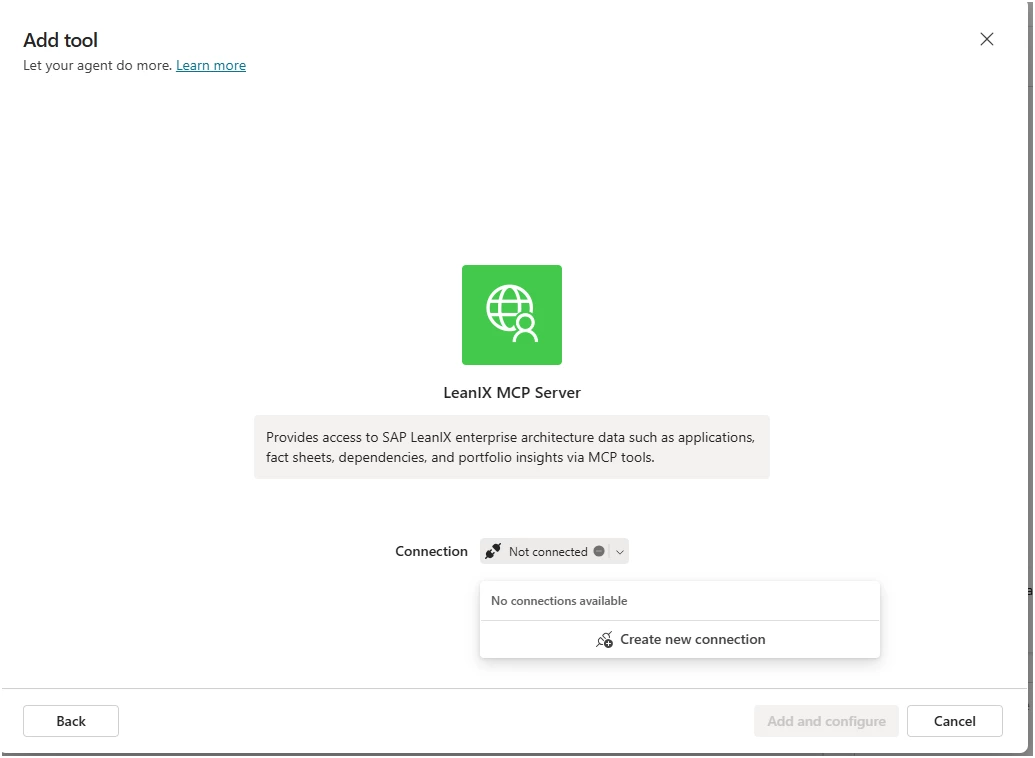
I’m trying to connect the LeanIX MCP server to a Microsoft Copilot Studio agent using the MCP onboarding wizard, following the official docs:

However, I’m running into issues and would love to understand if anyone has successfully implemented this end-to-end with Microsoft Copilot Studio.

Has anyone successfully connected LeanIX MCP to Copilot Studio and run actual tool calls in an agent conversation? What endpoint format, transport type and auth setup did you use for LeanIX?

Any tips, configs, samples or pointers to working setups would be hugely appreciated 🙏
Best answer by Dan.Harrison

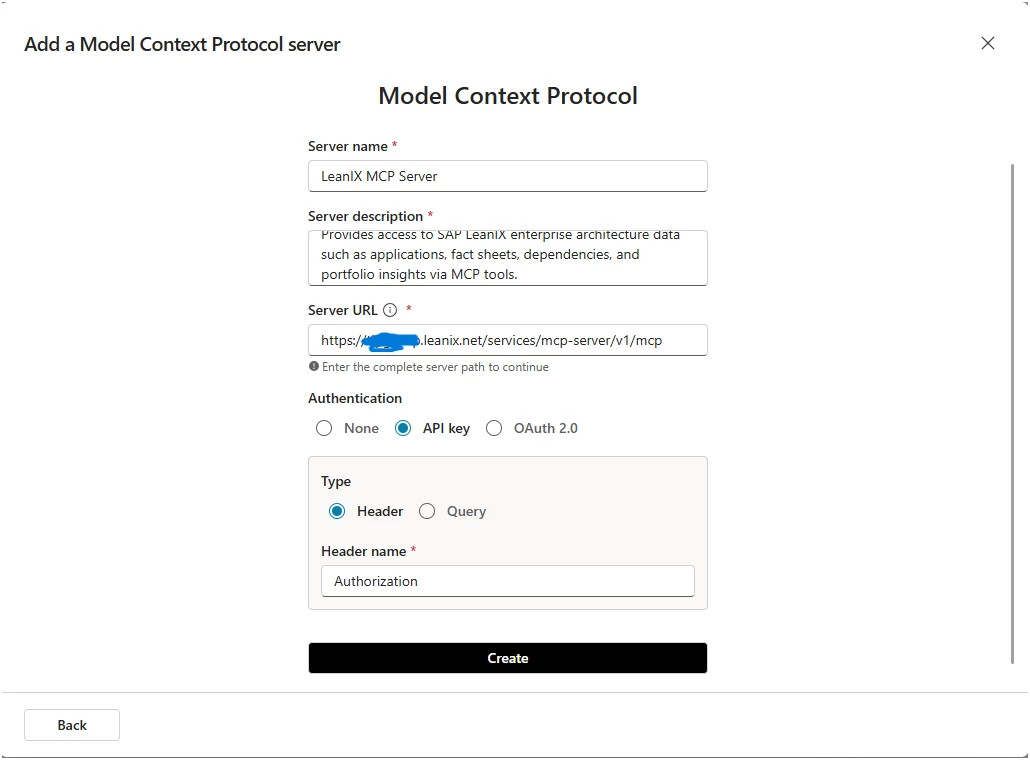
Hi ​@bakari . Found this topic and thought I would add what worked for me. Yes this was a slight pain to get right as there wasn’t a great deal of instruction on this specific use-case. You need to follow the MCP wizard in Copilot Studio to add the MCP server with the following options:

Click Create and then you will need to choose ‘Create new connection’
 

Then in the next box it’s important to add the API key in the following format:

Token <API Key>

Basically including the word Token in-front of the key that is generated from your technical user

5 replies

  • Rookie
  • March 3, 2026

Hi,

Ive just managed to connect copilot just now actually.

Happy to connect on this?

Cheers,

Neil


  • Author
  • March 4, 2026

Hi ​@neilcook, That’s great to hear - thanks for sharing!

If possible, could you point me to any configuration notes, or examples you followed to get it working? I’ve already gone through the official LeanIX and Copilot Studio documentation, but I’m still running into issues - so any practical insights or reference setups would be really helpful.

If you’re able to share details here, that would be great so others can benefit too. But feel free to send me a private message if you prefer. Thanks a lot!


shreenithnaik
Community Manager
Forum|alt.badge.img+1
  • Community Manager
  • March 5, 2026

Agree with ​@bakari (appreciate the thought).. if you could please share details (as much as you can at least) here, it would certainly benefits others trying to implement the same. ​@neilcook 


  • Rookie
  • March 15, 2026

Same request here … Share the details would benefit us as well greatly ​@neilcook 

Thank you


Forum|alt.badge.img
  • Rookie
  • Answer
  • March 18, 2026

Hi ​@bakari . Found this topic and thought I would add what worked for me. Yes this was a slight pain to get right as there wasn’t a great deal of instruction on this specific use-case. You need to follow the MCP wizard in Copilot Studio to add the MCP server with the following options:

Click Create and then you will need to choose ‘Create new connection’
 

Then in the next box it’s important to add the API key in the following format:

Token <API Key>

Basically including the word Token in-front of the key that is generated from your technical user