

Solved

Markdown with 'mailto' and with 'subject'

  • May 18, 2026
  • 5 replies
  • 42 views

Hi everyone, 

I want to provide a clickable e-mail address with predefined subject in a custom message on a dashboard.

With this format, without subject, it works well: [Email Me](mailto:email%40domain.com)

But, with an additional subject like this: [Email Me](mailto:email%40domain.com?subject=LeanIX)  the subject is ignored. 

I’m not using markdown at another place therefore I can not test if this is a special markdown behaviour or not. But on other pages like Confluence it works well. 

Maybe someone of you can help with this nice to have of a predefined subject. 


Many thanks 
Kind regards
Jan

Best answer by Thomas Schreiner

@Jan1 ​@justinharclerode I just figured it out - you can actually append a subject if using custom HTML on the dashboard like this:

<a href="mailto:email%40domain.com?subject=LeanIX">Email Me</a>

So your answer was actually pretty close Justin :-) It just doesn’t work for markdown, which means it will not be a solution for links within fact sheet fields - just within dashboards, but that should be OK for Jan I guess.

5 replies

Thomas Schreiner
Forum|alt.badge.img+4

Hi ​@Jan1, LeanIX uses a restricted implementation of markdown that does not provide all features of other implementations. The subject functionality is not provided, at least it is not documented and I have never gotten it to work.

Feel free to raise a feature request at roadmap.leanix.net, maybe they will add it.


justinharclerode
Community Manager
Forum|alt.badge.img+1

Yes this is possible by using the custom message functionality on dashboards. However creating a custom subject is not. You can maybe add the custom message in another format. I’d suggest submitting an idea via product board! 


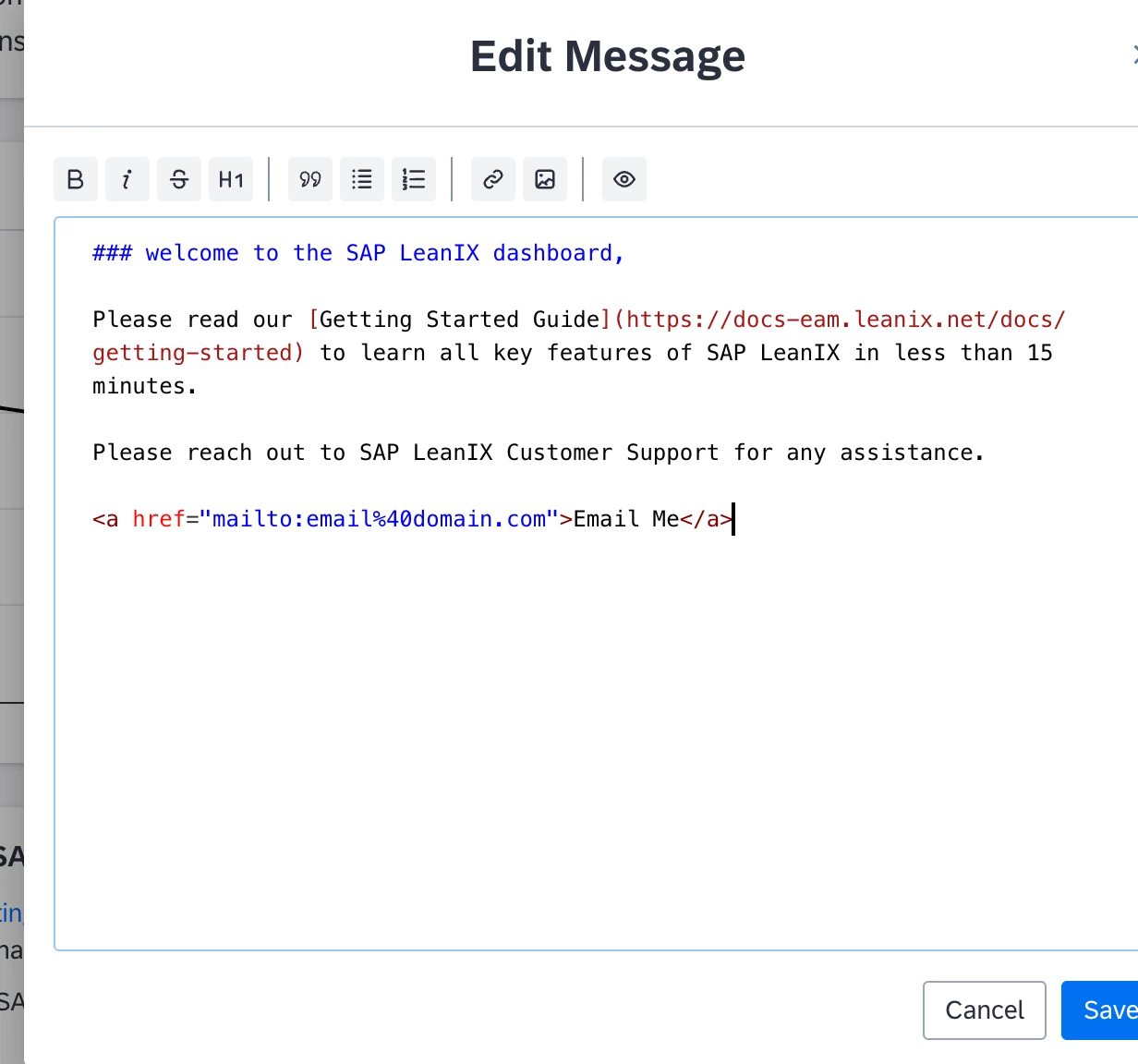
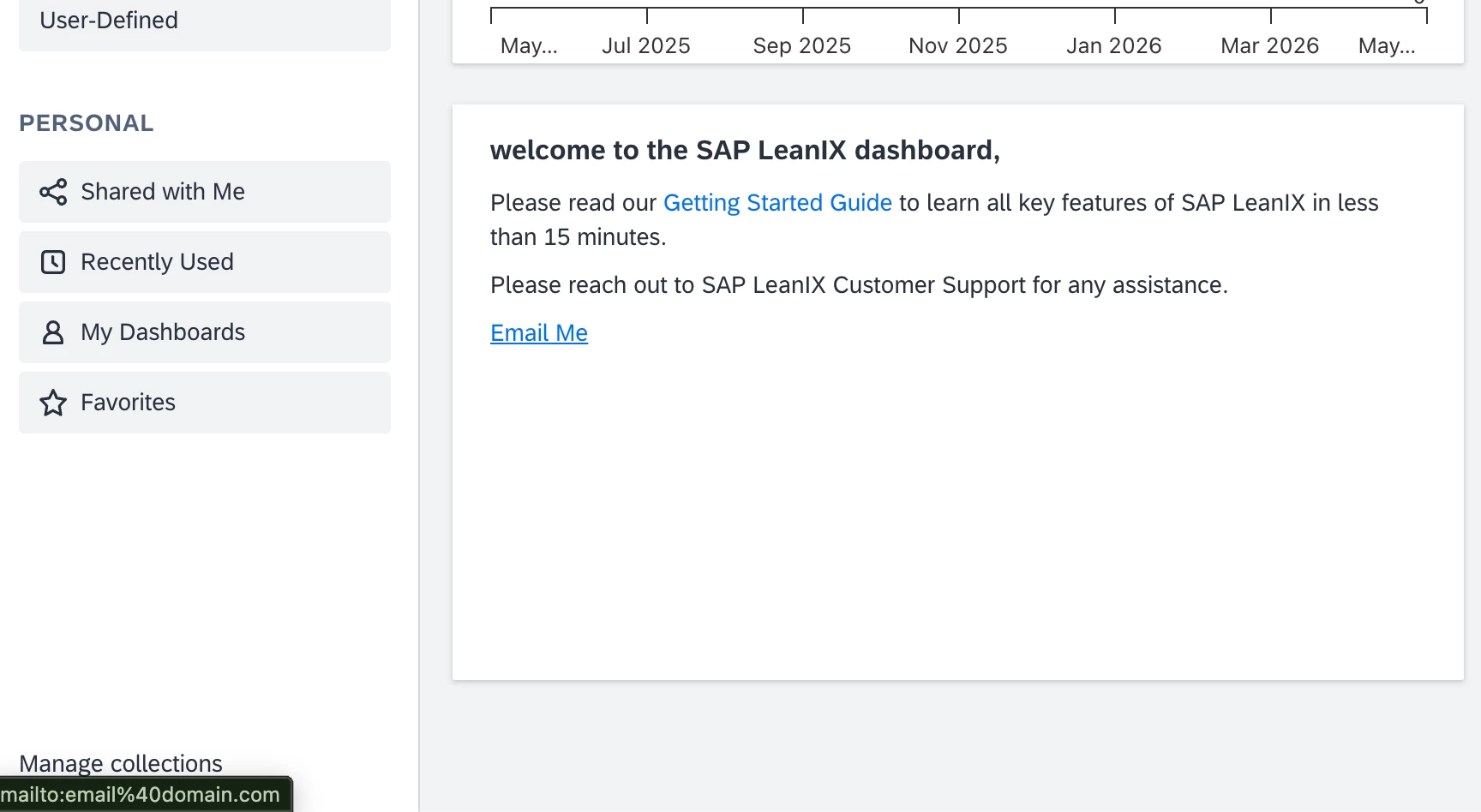
using html format, and a custom message box


<a href="mailto:email%40domain.com">Email Me</a>


Thomas Schreiner
Forum|alt.badge.img+4

Hi ​@justinharclerode, I am not sure how this answers Jan’s question. The question was not about creating an e-mail link (which is pretty clear to Jan, as you can read in his post), but about how you can add a custom subject.

Also - before marking an answer as “best answer”, it should be clear that it actually answers the question. Before marking it, we should either:

  • wait for a reply by the requester that confirms that the comment answers the question
  • wait for a “like” by the requester, if no other reply is following
  • wait for a few days and see if your answer receives the most likes, and no other replies are following.

If none of the above apply, I would suggest we don’t mark an answer as “best answer”. Thanks.


justinharclerode
Community Manager
Forum|alt.badge.img+1

Hi ​@justinharclerode, I am not sure how this answers Jan’s question. The question was not about creating an e-mail link (which is pretty clear to Jan, as you can read in his post), but about how you can add a custom subject.

Also - before marking an answer as “best answer”, it should be clear that it actually answers the question. Before marking it, we should either:

  • wait for a reply by the requester that confirms that the comment answers the question
  • wait for a “like” by the requester, if no other reply is following
  • wait for a few days and see if your answer receives the most likes, and no other replies are following.

If none of the above apply, I would suggest we don’t mark an answer as “best answer”. Thanks.


Hi Thomas,

Thank you for the feedback! I, appreciate your commitment to maintaining answer quality on the forum. You make a solid about best answer standards.

I marked this as best answer because the solution I provided directly addresses part of Jan's question. While there is no button option the custom widget provides the closet creative way. 

I / we take your suggestions seriously and will be more mindful in the future about waiting for requester confirmation or community validation before marking answers as best. That's good practice for keeping our community standards high.


Thanks for keeping us accountable.


Thomas Schreiner
Forum|alt.badge.img+4

@Jan1 ​@justinharclerode I just figured it out - you can actually append a subject if using custom HTML on the dashboard like this:

<a href="mailto:email%40domain.com?subject=LeanIX">Email Me</a>

So your answer was actually pretty close Justin :-) It just doesn’t work for markdown, which means it will not be a solution for links within fact sheet fields - just within dashboards, but that should be OK for Jan I guess.