Hello @neal_richards,
Thank you for getting back to me and for providing this additional context.
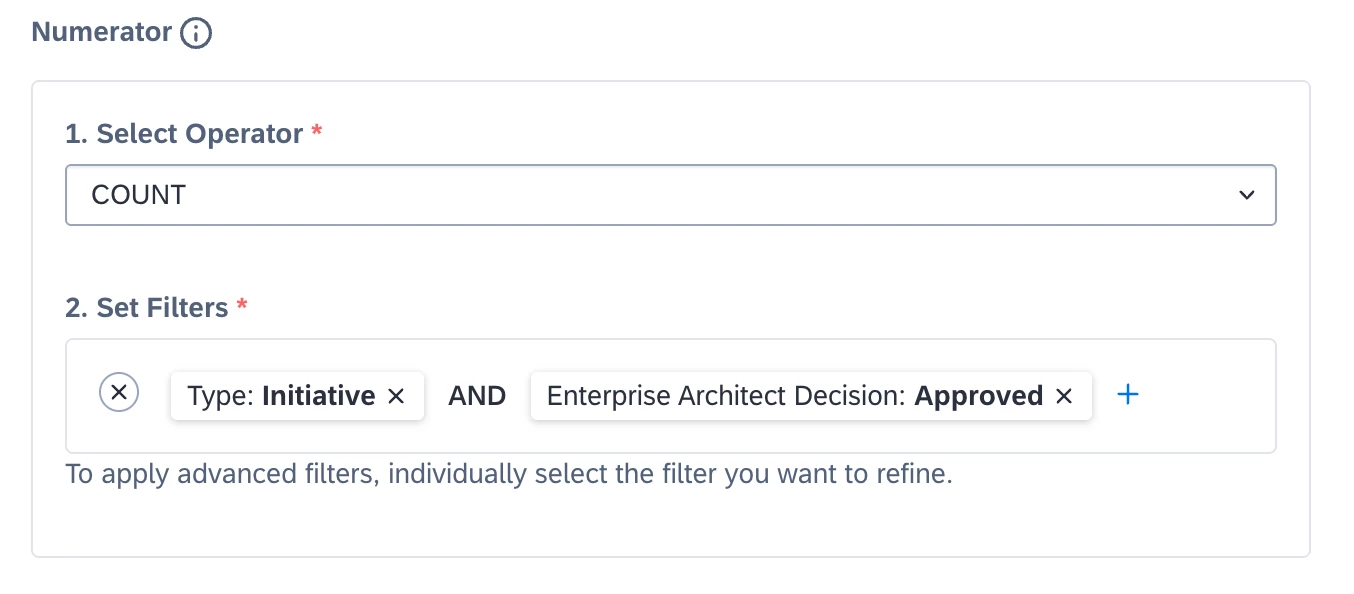
Historically, the "+" symbol functioned as a convenient shortcut to select all filters via dropdown directly within the configuration screen. While the updated workflow no longer includes this shortcut, the ability to apply the same filters should still be intact.
To access the desired filters, you need to use the options accessed via the three dots ("...") on the left-hand panel. From there, you can enable the filters as needed and then select them directly from the panel. While it may take an extra step now, the filtering capabilities should still allow for the same level of customization as before.
Does this produce the desired effect? If there's a particular filter setup you're trying to replicate and it’s not working as expected, could you provide more details or an example? I'd be happy to take a closer look and support you in identifying the solution.
Alternatively, if you do not wish to share any potentially sensitive data here, you can always reach out to our dedicated support team via the SAP for Me Portal.
Thank you again for your engagement with the community, and I truly appreciate your continued input here.